


No items found in your cart!
No items found in your cart!
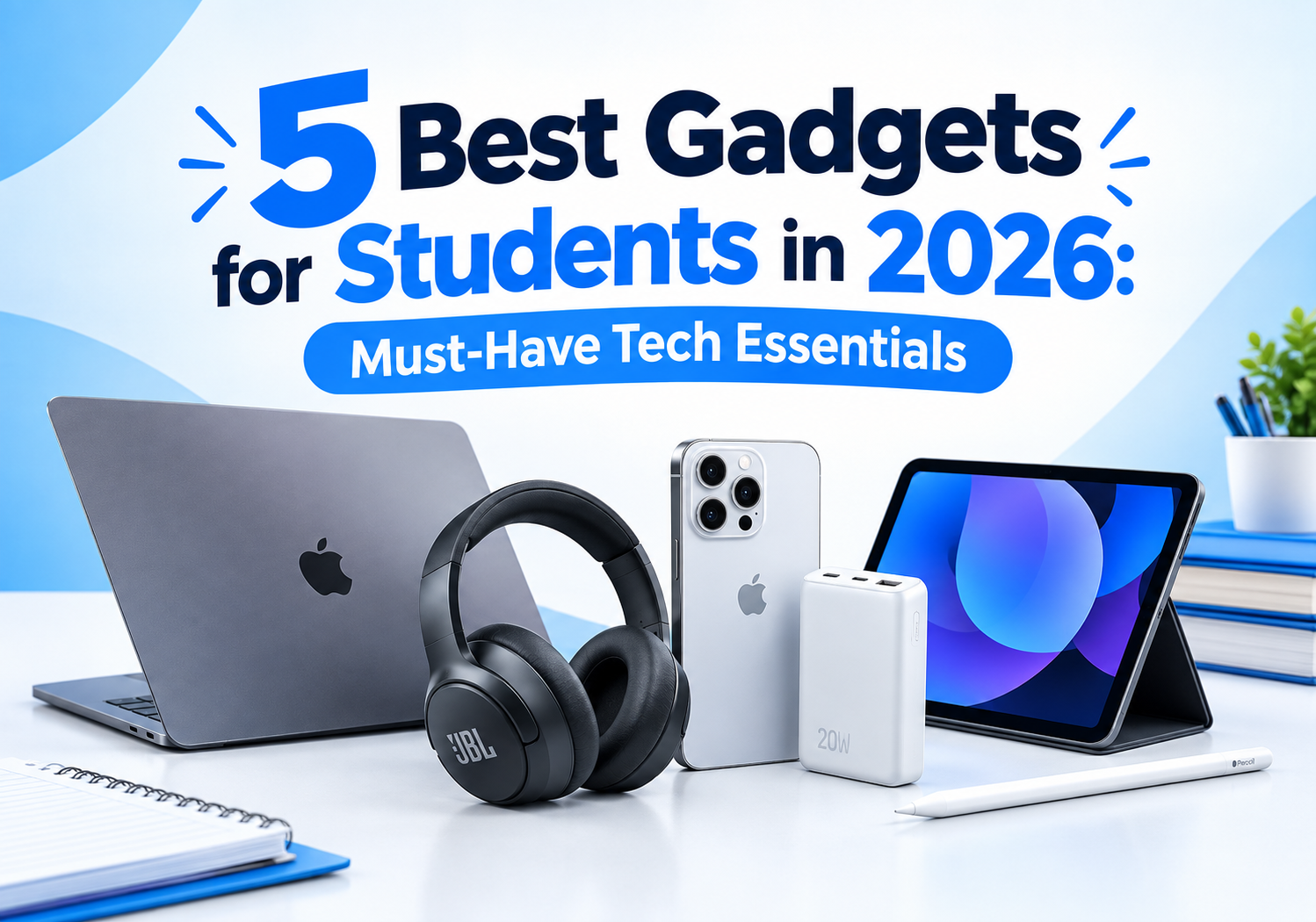
 you definitely can not afford to miss this. READ HERE https://www.goglowonline.com/view-post.php?post_id=203, Thanks for always taking out time to read through our blog posts @ Goglow Limited! We are Happy that you enjoy it!&image=<img src='https://www.goglowonline.com/upload/1791978439gadget photo.png'/>) |
|
|
|
|
|
|
|
Technology has become an essential part of how we work, learn, communicate and manage our daily activities. From smartphones that keep us connected to laptops that help us complete important tasks, the right gadgets can make everyday life easier, faster and more productive.
In 2026, you don't necessarily need the most expensive technology to enjoy its benefits. What matters is choosing gadgets that suit your lifestyle, meet your needs and offer good value for money.
Whether you are a student, business owner, remote worker, content creator or technology enthusiast, here are some of the best gadgets worth considering this year.
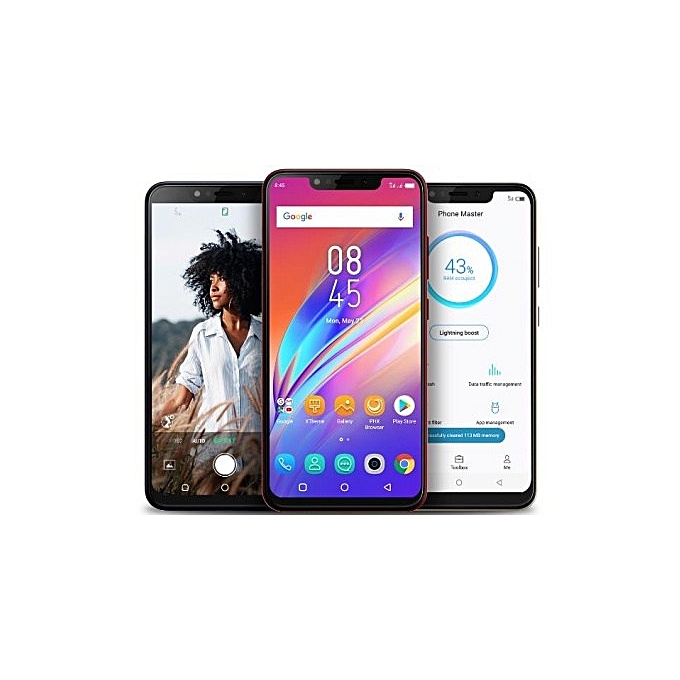
A smartphone is one of the most useful gadgets you can own. Beyond making calls and sending messages, modern smartphones help you attend online meetings, manage your finances, take photographs, create content, access educational resources and run a business.
For students, smartphones make it easier to access learning materials, communicate with classmates and participate in online classes. Professionals can use them to manage emails, schedule appointments and stay connected with colleagues and clients.
What to look for:
Best for: Students, entrepreneurs, professionals and everyday users.
If you want to improve your productivity in 2026, a laptop is one of the most valuable investments you can make.
Laptops support activities such as writing assignments, preparing presentations, analysing data, designing graphics, developing websites, attending virtual meetings and managing business operations.
Students studying computer science, engineering, business administration and other technology-related disciplines can particularly benefit from owning a reliable laptop.
Remote workers and entrepreneurs also need laptops to manage projects, communicate with customers and operate digital businesses.
What to look for:
If your work involves software development, video editing, advanced graphics or data analysis, consider a more powerful configuration.
Best for: Students, office workers, programmers, business owners and remote professionals.
Tablets offer a convenient middle ground between smartphones and laptops. Their larger screens make reading, studying, browsing and watching educational videos more comfortable.
With a compatible keyboard and stylus, a tablet can also become a useful productivity tool.
Students can use tablets to read electronic textbooks, annotate lecture notes, attend online classes and organise assignments. Professionals can review documents, make presentations and take notes during meetings.
However, tablets may not replace laptops for specialised software or tasks that require a full desktop operating system.
What to look for:
Best for: Students, readers, teachers, travellers and professionals who need a lightweight device.
A power bank is particularly useful when you spend long hours outside your home or office.
In situations where electricity supply is unreliable, a dependable power bank can help keep your smartphone, earbuds and other compatible devices charged.
For students attending lectures, business owners meeting customers and professionals travelling between locations, this small gadget can prevent unnecessary interruptions.
What to look for:
A 10,000mAh model may be sufficient for everyday smartphone charging, while a larger capacity may be more appropriate for frequent travel or multiple devices.
Remember that actual charging performance varies depending on the power bank, device and energy lost during conversion.
Best for: Students, travellers, remote workers and people who experience frequent power interruptions.
Wireless earbuds and headphones have become useful companions for learning, entertainment and professional communication.
They allow you to listen to online lectures, attend virtual meetings, make calls and enjoy music without constantly handling your phone.
Noise-cancelling headphones can also help reduce distracting background sounds when studying or working in busy environments.
However, noise cancellation does not eliminate every sound, and you should remain aware of your surroundings when necessary.
What to look for:
You do not have to buy a premium model to enjoy these benefits. Choose a product that balances comfort, performance and affordability.
Best for: Students, office workers, content creators, commuters and remote professionals.
Smartwatches and fitness bands offer more than just the time.
Depending on the model, they can display notifications, track physical activity, monitor sleep patterns, record workouts and provide reminders.
For busy professionals and students, notifications can make it easier to notice important updates without repeatedly checking a smartphone.
Some smartwatches also support contactless payments, navigation and phone calls, although these features vary by model, region and connected device.
What to look for:
Remember that fitness trackers provide estimates, not medical diagnoses.
Best for: Fitness enthusiasts, busy professionals and people who want to organise their daily routines.
Documents, photographs, videos and work projects can take up considerable storage space.
External solid-state drives (SSDs) and USB flash drives provide convenient ways to transfer files and keep additional copies of important information.
Students can store assignments and project files, while professionals can carry presentations, reports and business documents between computers.
External SSDs are generally faster than basic flash drives, making them particularly useful for transferring large files.
What to look for:
For important files, do not rely on a single storage device. Keep another copy in a separate location or use a trusted cloud backup service.
Best for: Students, photographers, designers, office workers and business owners.
Small accessories can make a significant difference to your everyday productivity.
A wireless mouse can improve navigation and precision when working on a laptop. A Bluetooth keyboard can make typing more comfortable when using a tablet or compatible smartphone.
These accessories are especially useful for people who spend hours preparing documents, responding to emails, managing spreadsheets or working with online applications.
What to look for:
If you work for long periods, consider ergonomics and take regular breaks rather than relying on accessories alone to prevent discomfort.
Best for: Students, writers, programmers, accountants and remote workers.
Online meetings, virtual interviews, webinars and digital content creation remain important parts of modern life.
An external webcam can improve video quality when your laptop's built-in camera is inadequate. A ring light or compact LED light can help illuminate your face during meetings, interviews and recordings.
For content creators and online business owners, these gadgets can help produce clearer, more professional-looking videos.
Before purchasing a webcam, check whether your existing laptop camera already meets your needs.
What to look for:
Good lighting and a quiet environment can improve video calls even without expensive equipment.
Best for: Remote workers, online tutors, job seekers, YouTubers and digital marketers.
Portable speakers make it easier to enjoy music, listen to podcasts and share audio with friends or colleagues.
Smart speakers may also support voice assistants, timers, reminders and compatible smart-home devices.
For students, speakers can be useful during leisure time. Small businesses can use portable models for suitable presentations or informal gatherings.
However, a portable Bluetooth speaker and a smart speaker are not the same thing. Bluetooth speakers primarily focus on wireless audio playback, while smart speakers may offer additional internet-connected features.
What to look for:
Best for: Music lovers, travellers, students and households.
Your gadgets are only useful when you can power them safely.
A quality surge protector can help protect compatible electronics against certain voltage surges. Reliable chargers and suitable cables can also improve charging convenience.
In areas where electricity supply fluctuates, it is worth paying attention to power protection rather than choosing accessories based on price alone.
A surge protector does not guarantee protection against every electrical fault. Select products from reputable manufacturers and follow the manufacturer's instructions.
What to look for:
Avoid counterfeit chargers and damaged extension cords. For valuable equipment, consider whether additional protection is needed based on your local electrical conditions.
Best for: Homes, offices, computer users and small businesses.
Artificial intelligence is increasingly becoming part of everyday technology.
Some modern computers, smartphones, headphones and recording devices include AI-assisted features that can help users perform specific tasks.
Depending on the product, these features may include meeting transcription, voice assistance, image editing, language translation, noise reduction and summarisation.
Students can use suitable AI tools to support research and organise their notes, while professionals can use them to improve routine workflows.
However, AI features differ considerably between products. Some require internet access, subscriptions or compatible software.
Always verify important information generated by AI and respect privacy when recording meetings or uploading documents.
What to look for:
Best for: Students, professionals, researchers, content creators and technology enthusiasts.
You do not need to purchase every gadget on this list. The best approach is to start with the devices that solve your most important problems.
Here is a simple guide to help you prioritise your purchases.
User category| Recommended gadgets
Your budget, existing devices and daily activities should determine which items you buy first.
Technology prices can vary considerably, and the most expensive product is not necessarily the best choice for your needs.
Before purchasing a gadget, consider these practical tips:
1. Identify your main need.
Determine whether you need a device for studying, business, entertainment, communication or specialised professional work.
2. Set a realistic budget.
Decide how much you can comfortably spend before comparing products.
3. Compare specifications.
Look beyond appearance and brand names. Consider performance, battery life, storage, compatibility and durability.
4. Check the warranty.
Understand the seller's warranty, return policy and available after-sales support.
5. Buy from reliable sellers.
Choose sellers who provide accurate product descriptions, transparent pricing and clear purchasing terms.
6. Consider the total cost.
Some devices require additional accessories, software subscriptions or replacement batteries. Include these costs in your decision.
7. Protect your investment.
Keep your devices updated, use appropriate security settings and back up important files regularly.
The best gadgets to have in 2026 are the ones that make your life easier, help you work more efficiently and support your personal or professional goals.
A reliable laptop can improve your productivity. A power bank can keep you connected during a busy day. Wireless headphones can make online learning more convenient, while external storage can help protect your important files.
You do not need every new device on the market. Start with what you need most, compare your options carefully and invest in quality where it matters.
Explore the products available through GOGLOW Online and choose technology that supports the way you work, learn and live.
Visit: https://goglowonline.com
GOGLOW Online: ...glowing with quality goods and services
.jpg)
.jpeg)

 Categories
 Magnetic White Boards
 Printers
 Television/Monitor
 Phone Accessories
 Laptop Accessories
 Home & Office

 Groceries
 Laptops
 Projectors
 Magnetic Chalk Boards
 Office Pin/Notice Boards
 Smartphones
 Photocopiers
 Projector Accessories
 Classroom
 Office Accessories
 Musicals
 Electronics
 Fashion
 Home & Kitchen
 Health & Beauty
 Digital Camera